

Once your posts are submitted you can start tracking their performance with Postpone Analytics.
Postpone Analytics shows you:
- The number of likes, upvotes, comments, views, and more that your posts receive over time.
- The number of followers your accounts receive over time.
- How your posts are performing this month compared to last month.
- Your best performing posts.
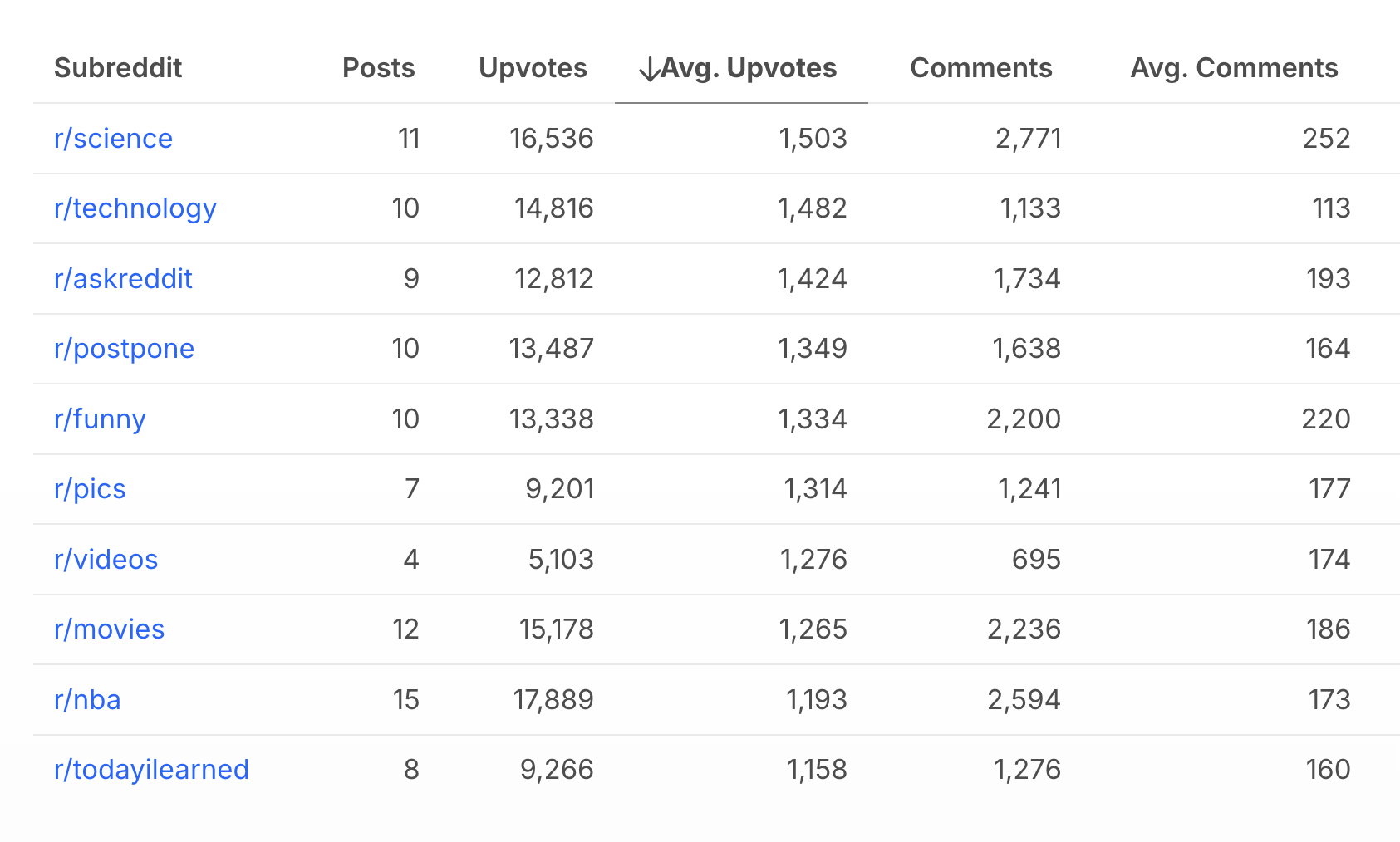
- Which subreddits your posts perform best in.
- Which links perform best.
Head over to Postpone Analytics to track your post and account performance.
High-level aggregate stats
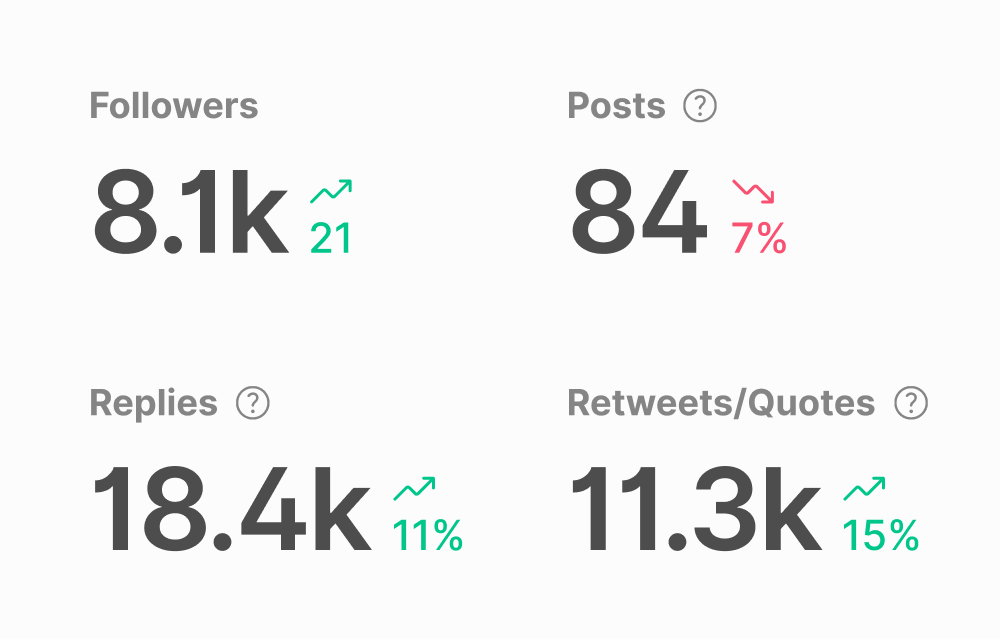
The high-level aggregate stats show you how your posts performed during the current month compared to the previous month.
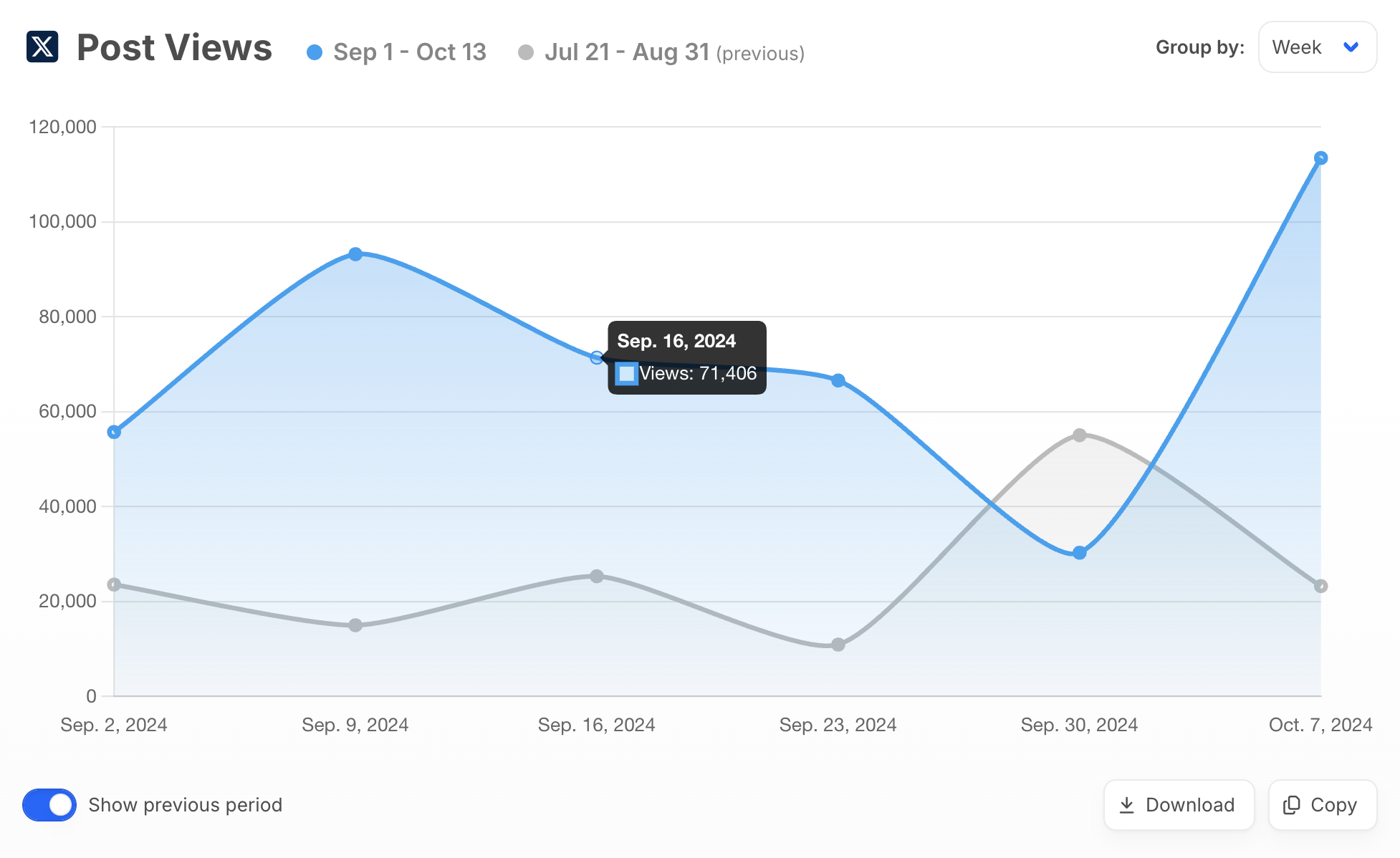
Post Metrics chart
The Post Metrics chart shows you how your posts are performing in aggregate over the last 30 days, 90 days, 1 year, or all time. You can select which metrics to display, such as Likes, Views, and Comments, per platform.
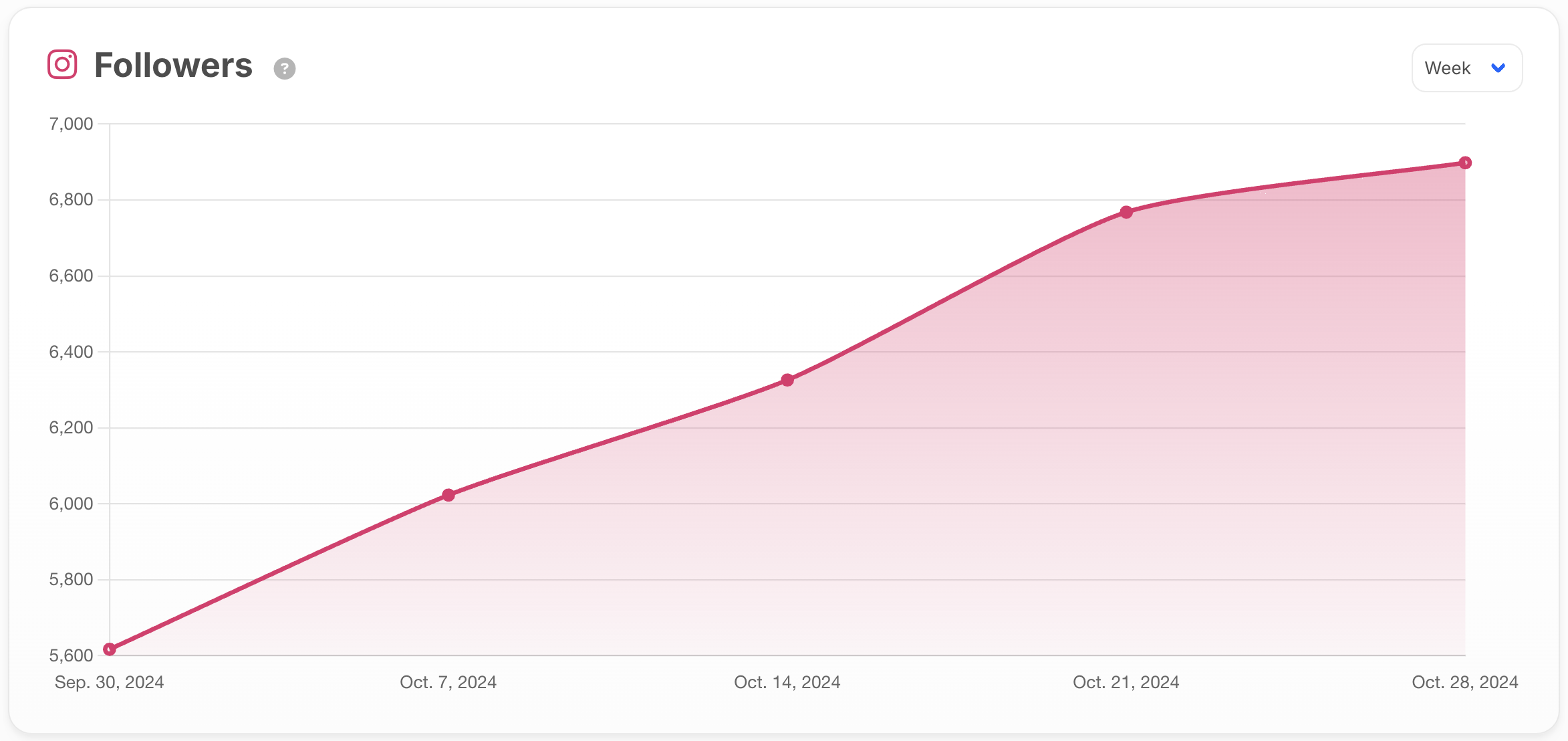
Followers chart
The Followers chart shows you how many followers your accounts are receiving over time.
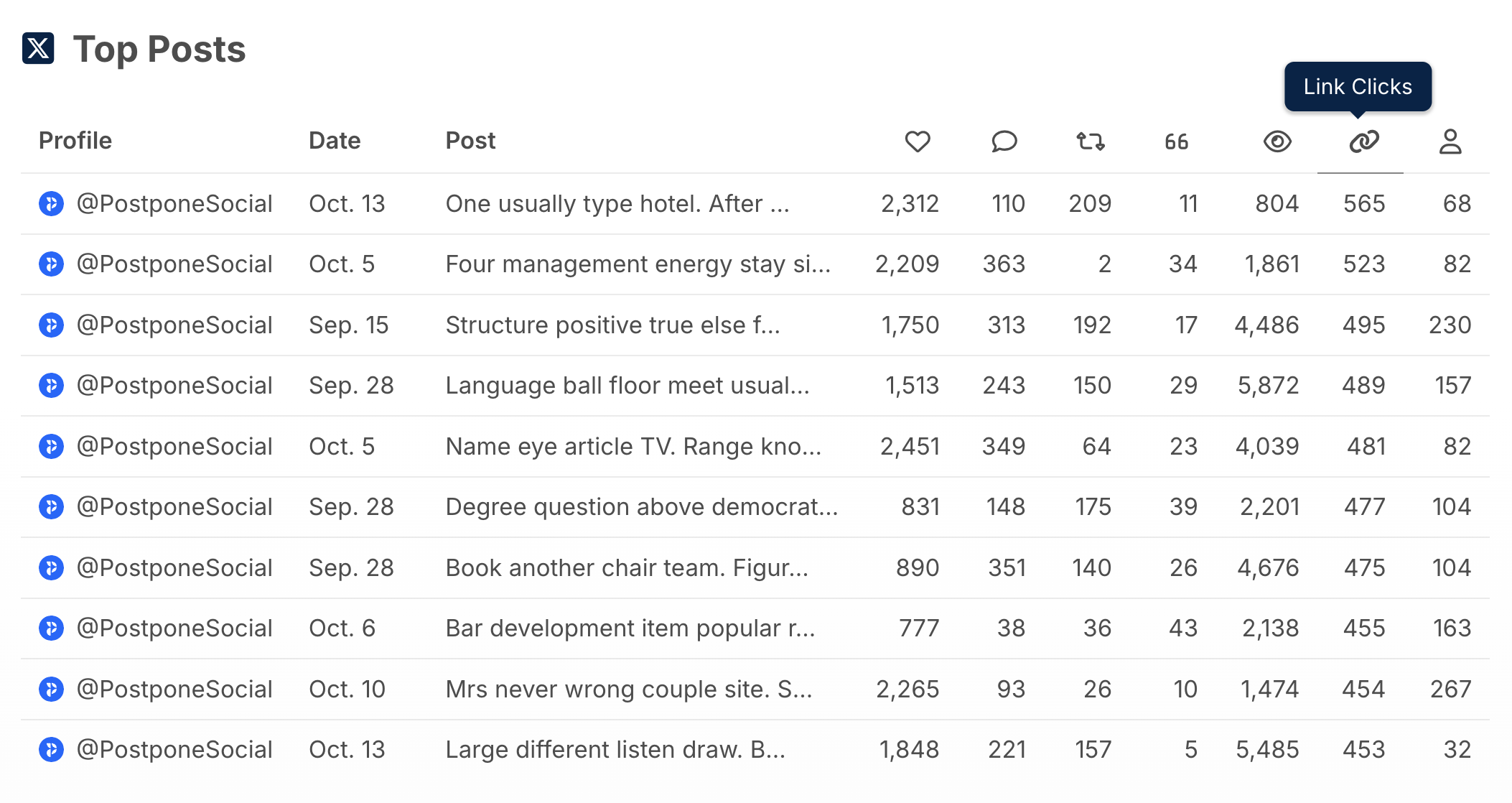
Top Posts
Use the Top Posts list to see which individual posts performed best. Use this information to pick out successful subreddits, titles, or scheduled days/times.
Top Subreddits
Top Subreddits shows you which subreddits your posts perform best in. You can also use Top Subreddits to see where your posts are most often removed by moderators, and make sure to follow the subreddit rules.
By utilizing the insights provided by Post Analytics, you will be able to consistently improve the performance of your content.