

With Postpone, you can schedule TikTok videos in advance so that your content continuously appears in your followers' feeds.
How to Schedule a TikTok Video
- Click New Post, select your TikTok account, then select files via drag and drop or from the Content Library.
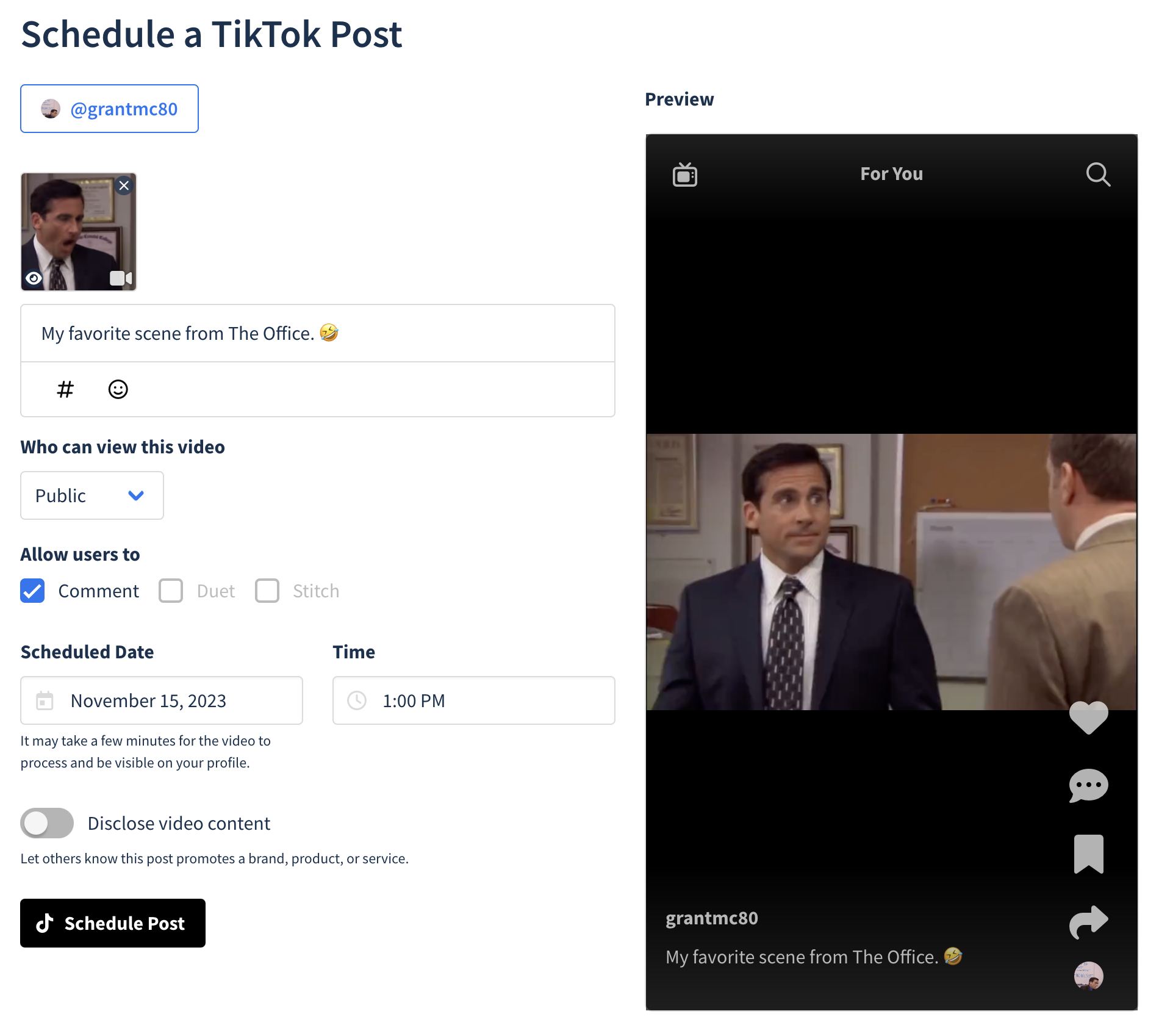
- Set Privacy Level -- Choose from Public, Friends, Followers, or Private viewing options.
- Configure Interactions -- Select which user actions to allow: Comment, Duet, or Stitch.
- Schedule Timing -- Pick your desired post date and time.
- Brand Disclosure -- Indicate whether the video promotes a brand, product, or service.
- Click Schedule Post to finalize.
Your TikTok video is now scheduled. It will be submitted from your account at the scheduled date and time.
Supported Features
Everything Postpone supports when scheduling to TikTok:
- Video posts — Publish a single video with a caption of up to 2,200 characters.
- Photo posts — Publish a carousel of up to 35 images with a title (up to 90 characters) and a description.
- Description — Add a longer description of up to 4,000 characters alongside the title on photo posts.
- Cover images — Choose which frame of your video TikTok uses as the thumbnail. TikTok only accepts a frame from the video itself, not an uploaded image. See Cover Images.
- Privacy level — Choose who can view the post: everyone, followers, friends (mutual follows), or only you.
- Interaction settings — Allow or block comments, Duets, and Stitches on the post. Duets and Stitches don't apply to photo posts.
- Auto-add music — Let TikTok pick and attach recommended music to a photo post automatically.
- AI-generated content disclosure — Mark a video as containing AI-generated content, as TikTok's policies require. Available on video posts only.
- Brand content disclosure — Label the post as promoting your own business ("Promotional content") or a third party ("Paid partnership").
- Music reminder — Note the sound you plan to add by hand, which switches the post to notification posting. See Music and Links.
- @mentions — Tag other TikTok accounts by typing
@in your caption or description. - Notification posting (optional) — Instead of letting Postpone publish the post for you, you can opt into a notification when it's time to post and publish from the TikTok app yourself, which unlocks in-app-only features. See Notification Posting.
- AI Post Writer — Generate or rewrite your caption or description. See Writing Individual Posts.
TikTok's API doesn't accept alt text, so image descriptions can't be set from Postpone.