

With Postpone, you can schedule YouTube Shorts in advance so that your content continuously appears in your followers' feeds.
How to Schedule a YouTube Short
- Click New Post and select your YouTube channel.
- Click Drag & Drop files to choose from your Content Library or manually drag files. A preview displays before posting.
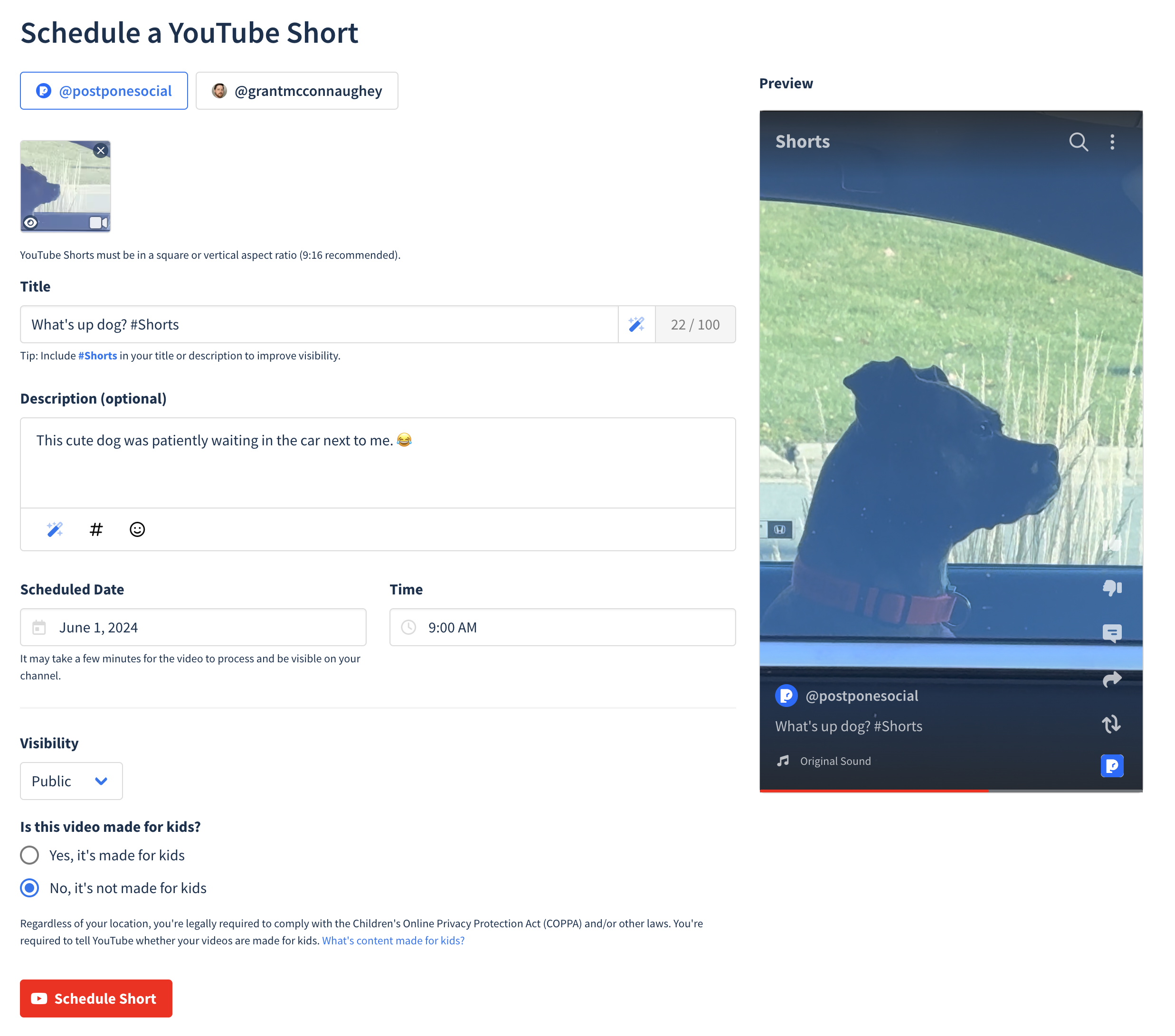
- Add a Title (required).
Include the hashtag #Shorts in your title or description to improve your Shorts visibility on YouTube.
- Add a Description (optional).
- Set Schedule -- Choose your desired date and time for submission.
- Content Designation -- Indicate whether the video is made for kids or not. See YouTube's help documentation for guidance on determining kids' content.
- Click Schedule Post.
Your YouTube Short is now scheduled. It will be submitted from your account at the scheduled date and time.
Supported Features
Everything Postpone supports when scheduling to YouTube:
- Shorts — Publish a single vertical video of 3 minutes or less to your channel.
- Title — Give the Short a title of up to 100 characters (required).
- Description — Add a description of up to 5,000 characters.
- Visibility — Publish the Short as public, unlisted, or private.
- Made for kids — Declare whether the video is directed at children, which YouTube requires for every upload.
- Altered or synthetic content disclosure — Mark the video as containing realistic AI-generated or altered content, as YouTube's policies require.
- @mentions — Reference other channels by typing
@in the title or description. - Notification posting (optional) — Instead of letting Postpone publish the Short for you, you can opt into a notification when it's time to post and publish from the YouTube app yourself. See Notification Posting.
- AI Post Writer — Generate or rewrite your title and description. See Writing Individual Posts.
Postpone schedules Shorts only. Videos longer than 3 minutes, playlists, and premieres aren't supported, and custom thumbnails can't be set from Postpone.