

The Client Portal is a dedicated, restricted interface for invited client users. Instead of logging into your agency's Postpone account, clients sign in to a simplified workspace scoped to the social accounts you've assigned to them.
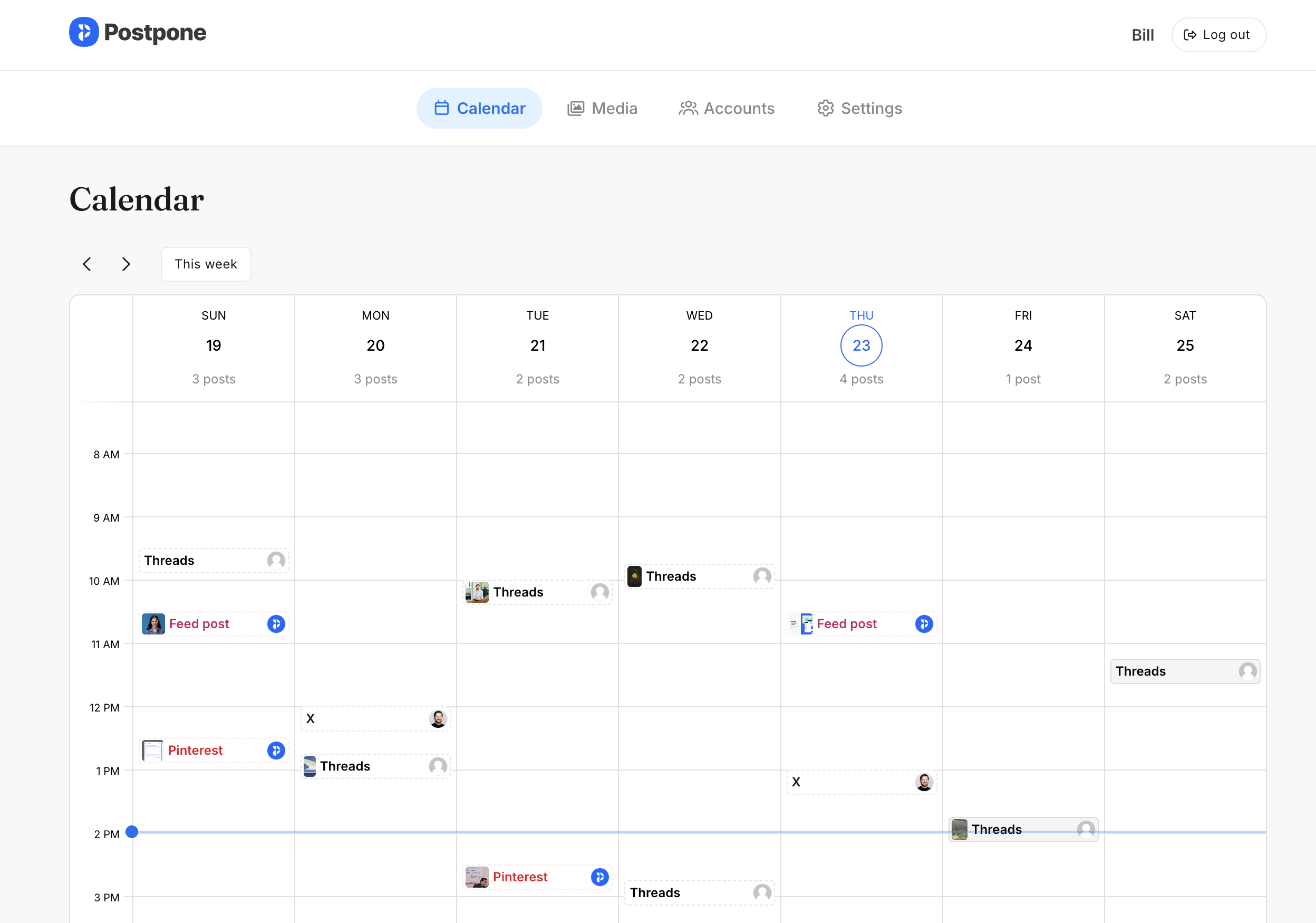
Once a client user accepts their invitation and logs in, they are automatically routed to the portal at postpone.app/portal. They cannot see any of your other clients, agency-wide settings, or data for accounts that aren't assigned to them.
What Clients See
The portal has a simple top navigation with four pages:
- Calendar — Review upcoming and recent posts.
- Media — Upload and download media files.
- Accounts — Connect and remove their social accounts.
- Settings — Manage their profile, timezone, and password.
There is no sidebar, no agency-wide navigation, and no access to your other clients.
Calendar
The Calendar page is a read-only weekly view of every scheduled and recently submitted post across the social accounts assigned to the client.
- Scheduled posts and recently published posts appear on the calendar.
- Posts are read-only — clients cannot edit, approve, or reschedule from the portal.
Media
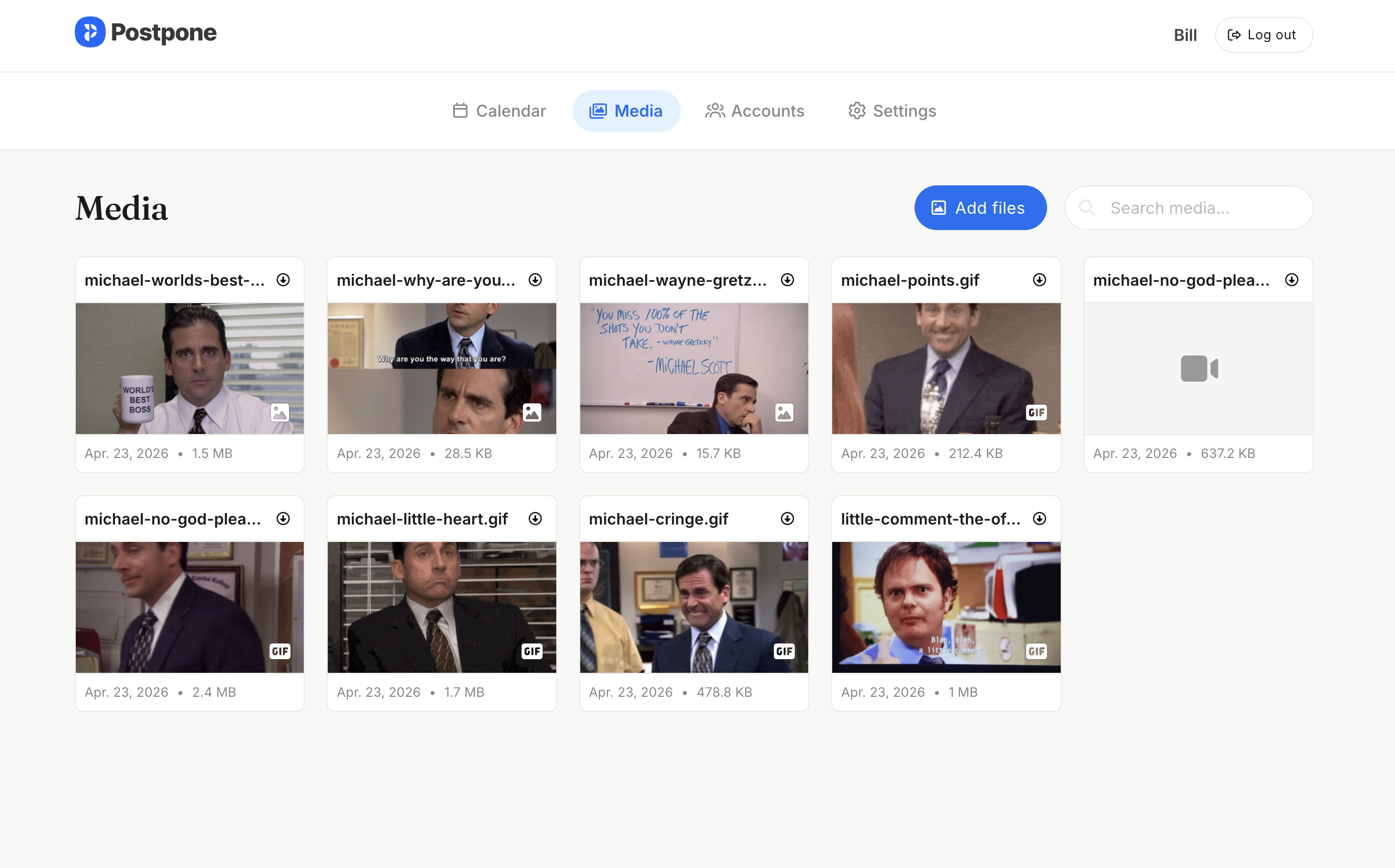
The Media page is primarily a place for clients to upload their own content so your agency can use it when scheduling posts. Clients only see media that they themselves have uploaded from the portal — they cannot browse the rest of your agency's media library.
- Upload — Clients can upload multiple files at once. Anything they upload appears in your agency's media library and is available when scheduling posts for the client's accounts.
- Search — Clients can search their uploads by filename.
- Download — Each item has a download button; clicking the image also downloads it.
Accounts
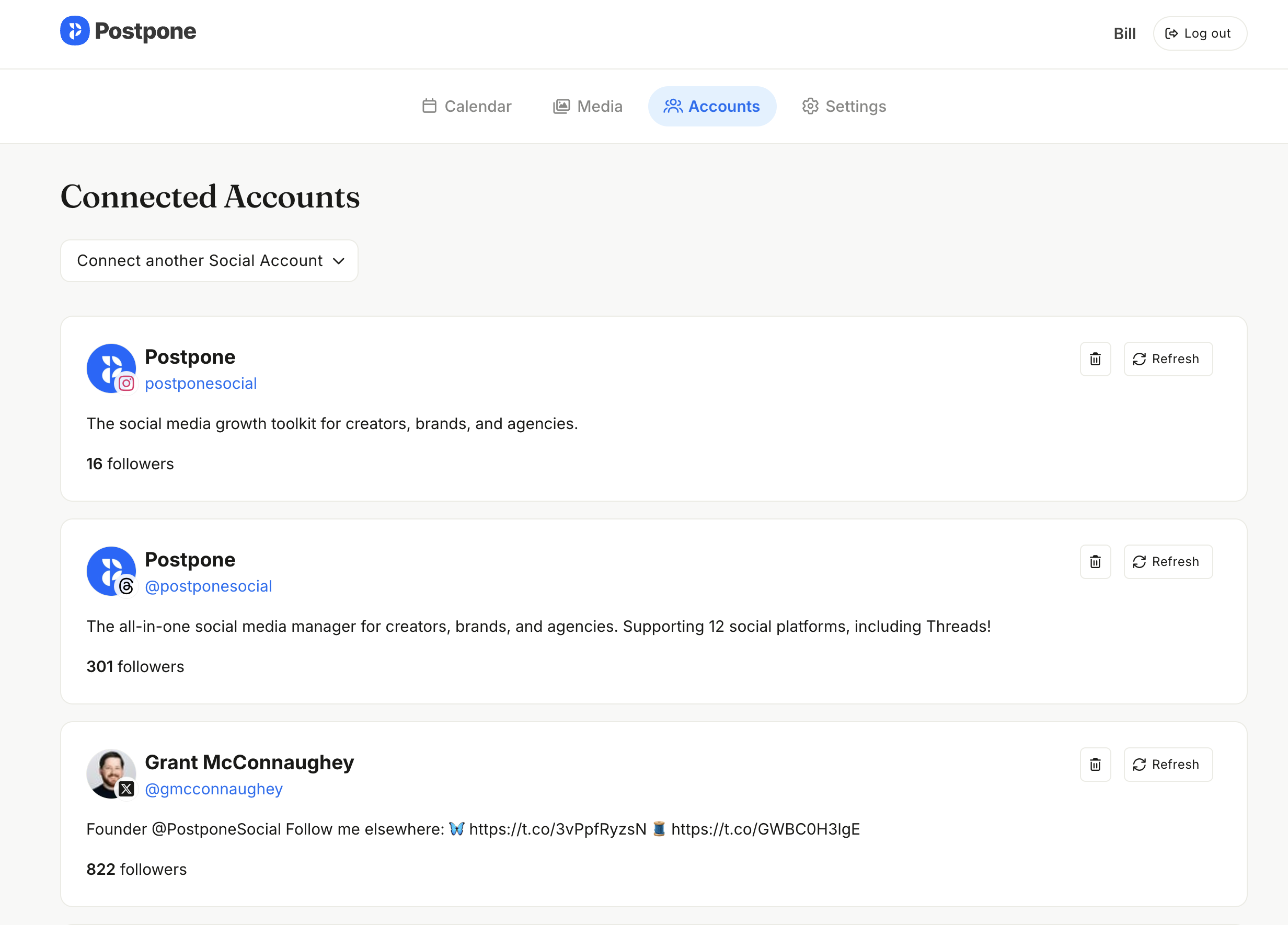
The Accounts page lets clients connect their own social accounts and remove existing ones.
- Connect — Clients can connect any supported platform directly from this page using the standard OAuth flow. This is an alternative to Client Connect Links, which are for clients without Client Portal access.
- Remove — Clients can disconnect any of their connected accounts at any time.
Any account a client connects from the portal is automatically assigned to their client record in your agency workspace, so it immediately shows up under that client in Settings > Clients.
Settings
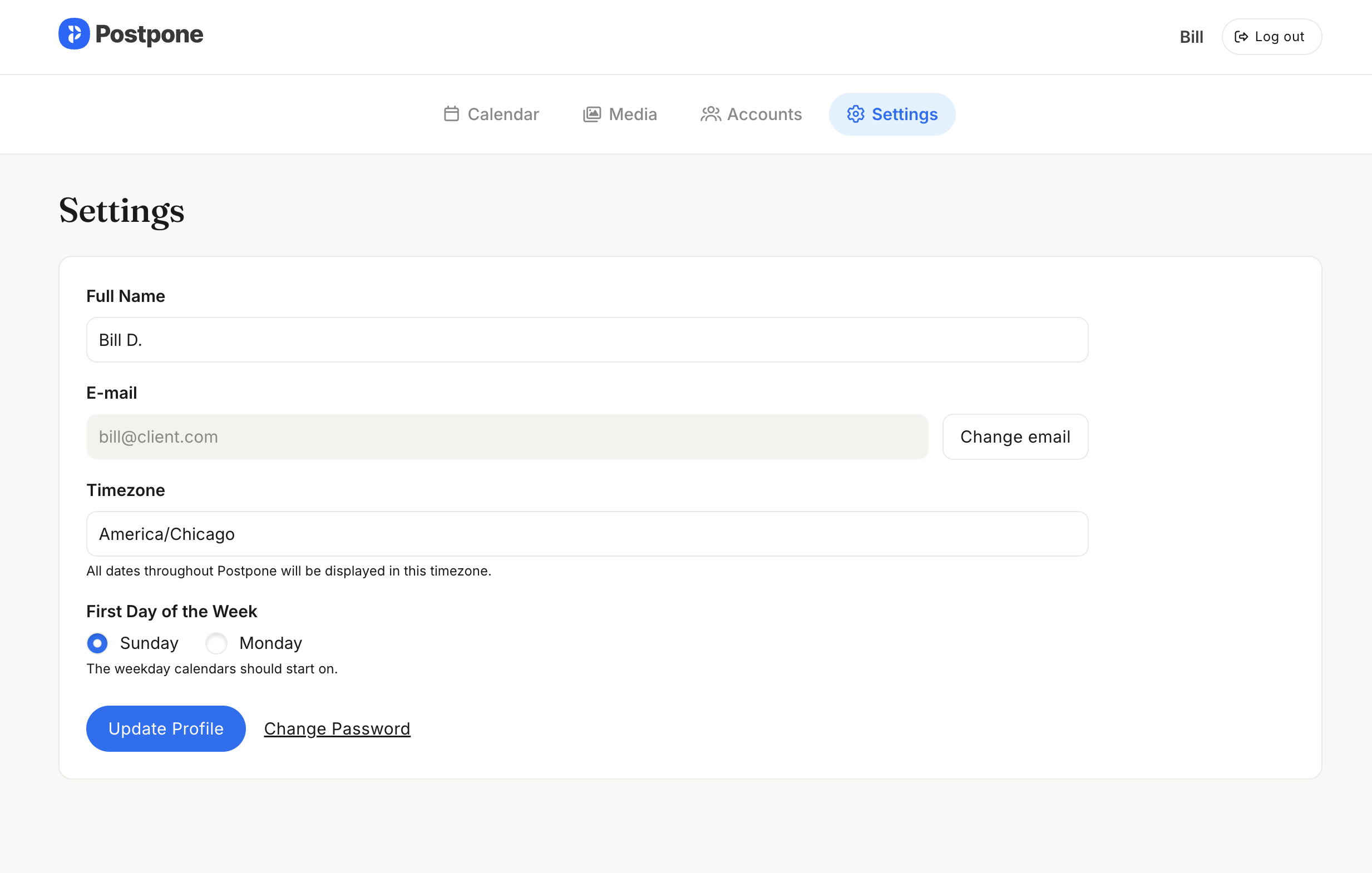
The Settings page is where clients manage their own profile. They can set their name, change their email address or password, or change their timezone.
Logging In
Clients sign in at www.postpone.app/login with the credentials they set when accepting their invitation. If they forget their password, the standard password-reset flow at www.postpone.app/forgot works the same as any other Postpone user.
Once logged in, client users are always routed back to /portal — they cannot access the main Postpone app or your agency workspace.