

Connecting your Facebook Pages
- Navigate to Settings > Social Accounts > Facebook on Postpone.
- Click Connect a Facebook Page.
- Proceed to log in with a Facebook account that has Admin access to the Pages you'd like to connect.
- Follow the prompts on Facebook.com and accept the permissions Postpone requires for the Pages you'd like to connect.
- After accepting the prompts you will be redirected to Postpone with your Facebook Pages connected. You can now schedule posts to your Facebook Pages!
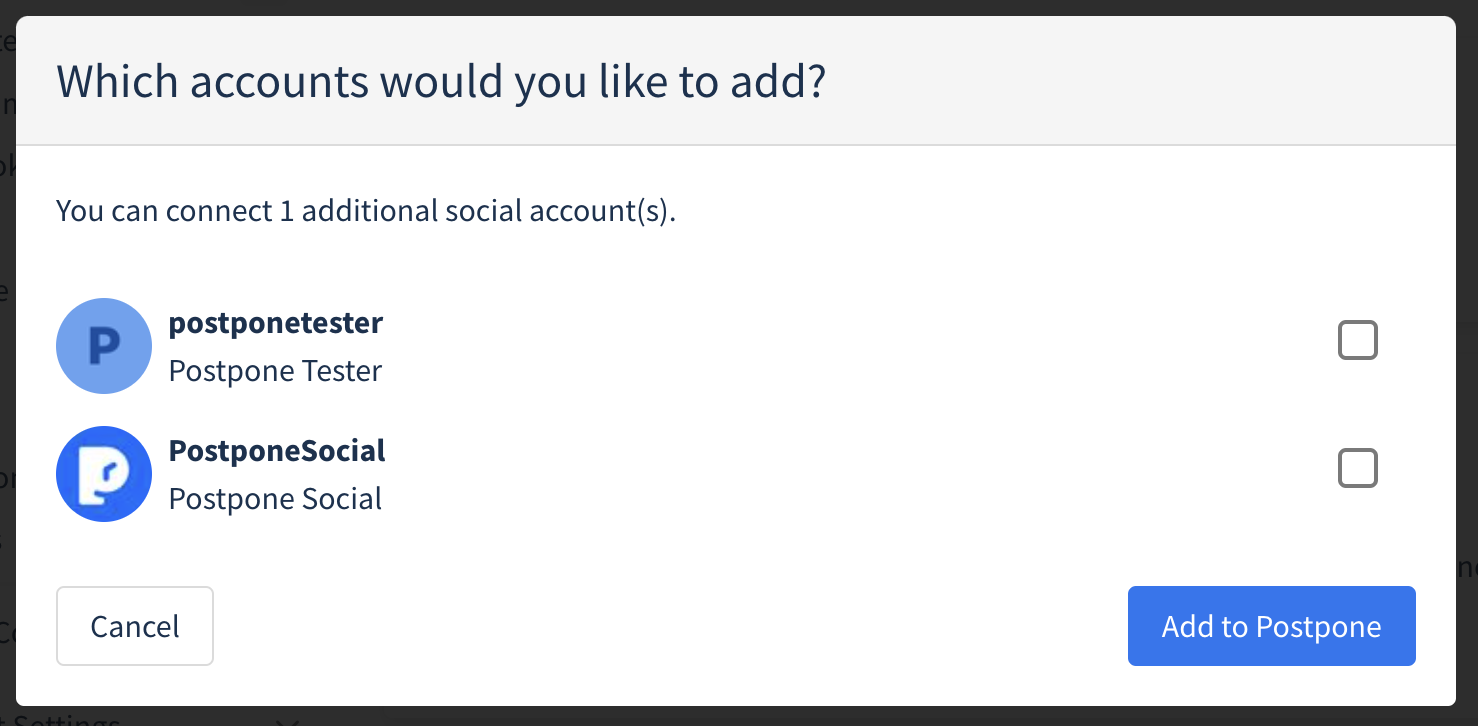
If you have access to multiple Facebook Pages, you will be prompted to select which Pages you'd like to add to Postpone.
Troubleshooting Common Facebook Connection Issues
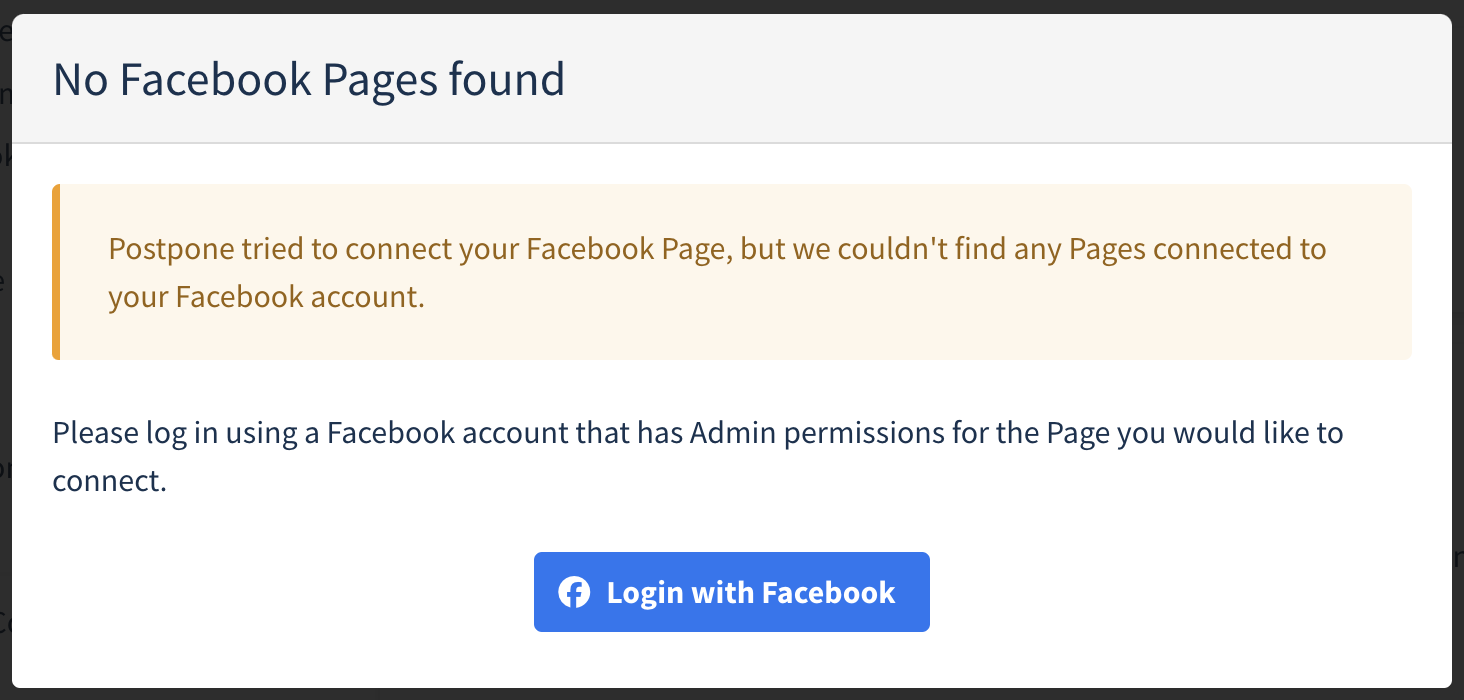
If you are having trouble connecting your Facebook Pages, the most common issue is seeing a "No Facebook Pages Found" message. Here are some steps to resolve this:
1. Log Out and Back In
Log out of Facebook.com completely, then log back in and retry the connection process.
2. Edit Previous Settings
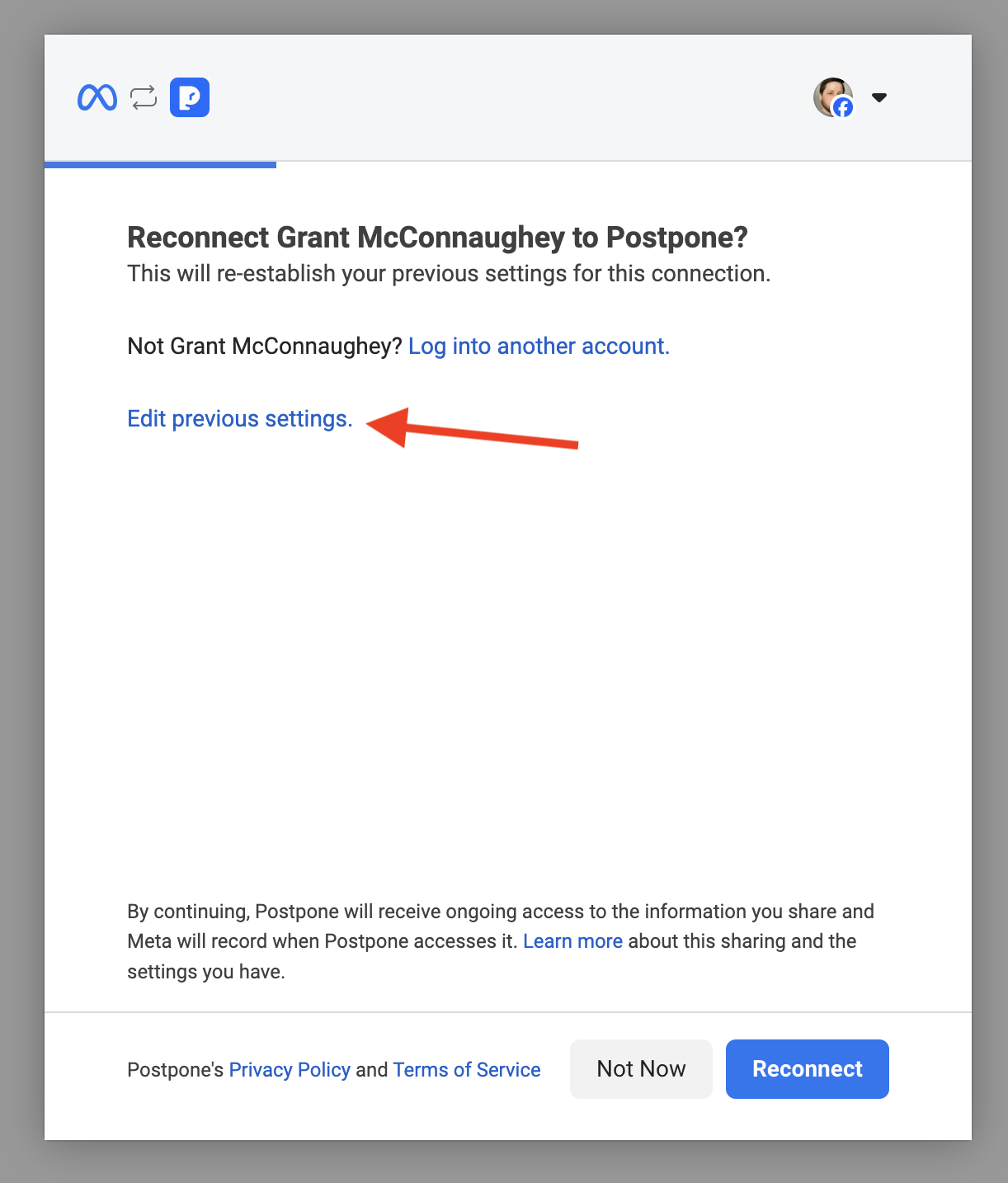
If that doesn't work, retry the connection and select "Edit previous settings" during the Facebook authorization flow.
Re-select all of the Businesses and Pages you'd like to connect and save your changes.
You will be redirected back to Postpone with your Facebook Pages now connected.